Help & feedback
Learn to sell Talk to a personHi! I'm StreetCart's help bot. Type your question, or pick a topic below.
Browse by topic
Browse by topic
Account & sign-in
How do I sign up or sign in?
StreetCart offers two ways to sign in: 1. Google — fastest, no password to remember. 2. Email and password (at least 8 characters). After signing up with email you get a confirmation email; tap the link in it to finish. You can browse without an account. You only need to sign in to order, open a shop or save items.
I didn't get the confirmation or password email
1. Wait two or three minutes; email can be slow. 2. Check your Spam and Promotions folders — the first email often lands there. 3. Make sure the address is spelled correctly. 4. Go back to the sign-in screen and send it again (password reset is under "Forgot password?"). 5. Open the link on the phone that has StreetCart installed; on a computer it opens the website instead. Still nothing? Contact a person below.
I forgot my password
1. On the sign-in screen choose email, then tap "Forgot password?". 2. Enter the email you signed up with; we send a reset email. 3. Open the link on your phone and set a new password. If you signed up with Google you don't need a password — just tap Google sign-in.
Can I sign in with my phone number and an SMS code?
Not at the moment. SMS sign-in is switched off; please use Google or email and password. If you used to sign in with only your phone number and now can't get in, contact a person and tell us the number — we'll look into it.
I changed or lost my phone. Is my account safe?
Yes. Your account, shop, listings and orders are kept on our servers, not on the phone. 1. Install StreetCart on the new phone. 2. Sign in with the same Google account or email and password, and everything comes back. Note: the basket is stored only on the old phone, so add items again. If the phone was lost, change your password in Me → Account info.
How do I change my email or password?
App: Me → Account info → "Change email" or "Change password". If you sign in with Google you can also set a password here, as a backup way in. A new email only takes effect after you tap the link in the confirmation email. Website: Me → Change password.
How do I link or unlink Google?
Me → Third-party accounts → Google → Link / Unlink. Use the Gmail that matches your account email; a different address may end up as a separate new account. If unsure, ask a person first. You can't unlink your only way of signing in, so you never lock yourself out.
Google sign-in fails or keeps loading
1. Check your connection; switch between Wi-Fi and mobile data and try again. 2. Pick the right Google account (your phone may have several). 3. Update StreetCart to the latest version. 4. If you set a password for your account, sign in with email and password instead. 5. Website: pages opened inside Telegram, TikTok or Facebook cannot use Google sign-in. Use the menu at the top right to "Open in browser" (Chrome), then sign in. Still failing? Take a screenshot of the error and contact a person.
Can I use one account on several phones? How do I sign out?
Yes. One account can be signed in on several phones and the website at once. Order notifications go to the phones signed in to it. To sign out: Me → Sign out. That phone then stops getting this account's notifications.
Is there a website? How is it different from the app?
Yes: streetcartmm.com, with the same account. On the website you can browse, order, see your orders, upload payment screenshots, write reviews, check account status and appeals, and delete your account. Digital goods are bought and sold only on the website. Opening a physical shop, publishing physical items and handling orders as a seller are done in the app. The app is Android only for now; on an iPhone, use the website.
Someone got into my account
1. Change your password now: Me → Account info → Change password. 2. If you use Google sign-in, change your Google password and check the devices signed in to it. 3. Check whether your listings, payment QR codes or orders were changed — scammers often swap in their own QR code. 4. Contact a person and tell us your sign-in email and what happened. We will never ask for your password or code.
Google sign-in fails when I open the site from Telegram or TikTok
Pages opened from Telegram, TikTok, Facebook or Viber run in an "in-app browser", and Google does not allow sign-in there (often error 403). 1. Tap the ⋮ menu at the top right. 2. Choose "Open in browser" (Chrome). 3. Tap Google sign-in again in Chrome. You can also sign in with email and password, or use the StreetCart app.
Orders
How do I place an order?
1. Open the item and tap "Buy now", or "Add to basket" first. 2. Pick a delivery method: seller delivery, self pickup or third-party courier (whichever the seller offers). 3. Enter your address and phone, and choose how to pay (cash, or a wallet the seller accepts such as KBZPay or WavePay). 4. Tap "Place order". 5. Wait for the seller to accept. If the seller does not accept within 30 minutes, the order is cancelled automatically. A basket with several sellers becomes one order per seller, each paid to that seller.
What do the order statuses mean?
• Waiting for seller: not accepted yet; it expires if not accepted within 30 minutes. • Accepted: the seller is preparing it. • On the way / Awaiting pickup: being delivered, or waiting for you to collect. • Delivered: the seller says you have it — tap "Mark as received" when you do. • Completed: done. • Cancelled / Expired: the order will not go ahead. • Refunding / Refunded: the seller is sending your money back (sellers refund directly).
How do I cancel an order?
Before the seller accepts, you can cancel it yourself: My Orders → open the order → "Cancel order". This cannot be undone. Once the seller has accepted, there is no cancel button. Use "Contact seller" to agree it with them; if you already paid, the seller refunds you directly.
Why was my order cancelled automatically or expired?
If the seller does not accept within 30 minutes, the order expires (the system checks about every 5 minutes) and the stock is put back. Buyers: order again, or use "Contact seller" first to check they are around. Sellers: turn on notifications so new orders reach you at once (Settings → Notifications).
What do I do after I receive my order?
1. Check the item and quantity in person, and raise any problem with the seller on the spot. 2. When the order shows "Delivered", tap "Mark as received" to complete it. 3. You can then tap "Rate this order". Do not confirm if you have not received it.
How do I review a seller? Can I change my review?
Once the order is Delivered or Completed, open it and tap "Rate this order": 1–5 stars overall, plus optional "as described", "delivery speed" and a comment. Tap it again to edit your review. Reviews cannot be deleted, and sellers cannot reply to them.
How do I contact the seller?
Tap "Contact seller" on the item, the shop page or the order. It lists what the seller left — Viber, WeChat, Telegram, phone and so on — and opens it with one tap. StreetCart has no in-app chat and cannot see your conversations. Put important agreements (price, delivery time) in the order note, and keep screenshots of your chat.
The seller accepted but does not reply or deliver
1. Try every way listed under "Contact seller", and give them a little time. 2. If you have not paid yet, do not pay. 3. If you cannot reach them, or they clearly will not deliver: open the order, tap the flag at the top right ("Report seller"), choose "No-show / not delivered" or "Scam", and describe what happened. We review it and can act on the seller's account (warning, restrictions, shop suspension). Note: StreetCart never holds your money, so it cannot refund you itself; money already paid has to come back from the seller.
Why can't I place my order?
Common reasons: • The item sold out, was taken down, or you asked for more than is in stock. • Your address is farther than the seller delivers — choose pickup or a courier instead. • It is your own shop's item. • The seller's shop is suspended. • Your account is restricted from ordering — Me → Account status shows why and until when, and lets you appeal. • A weak connection — try another network. The screen shows the exact reason; if it is unclear, send a screenshot to a person.
My basket has items from several sellers. How does checkout work?
Each seller gets a separate order, paid to that seller and delivered separately. In the basket, tap "Order from this seller" for each. If every seller offers seller delivery you can tap "Order from all" to place them in one go; those orders are cash on delivery. The basket is stored on this phone only.
How do I get a receipt? Can I print it?
Open the order and tap the receipt icon at the top right: preview or save a PDF, share it to Viber and others, or print a ticket on a 58 mm Bluetooth thermal printer (phones only). It is a receipt for the order between buyer and seller, not a payment receipt from StreetCart.
The seller cancelled my order. What about the money I paid?
Sellers can decline an order before accepting it (for example, out of stock). If you had not paid, there is nothing to do. If you already paid: 1. Use "Contact seller", send the transaction ID and ask for it back. 2. The seller marks "Start a refund" → "Refund sent" on the order and transfers the money back to you directly. 3. If they will not refund or do not reply: open the order and tap the flag ("Report seller"). StreetCart never holds the money and cannot refund it, but we act on reports. In future, pay after the seller accepts.
I placed the same order twice by mistake
Any copy the seller has not accepted yet you can cancel yourself: My Orders → open it → "Cancel order". If both were accepted, tell the seller with "Contact seller" and keep one. If you paid twice, ask the seller to send back the extra.
The connection dropped while ordering or paying. Did it go through?
1. Ordering: once you are back online, check My Orders first. If the order is there, it went through — do not order again; if not, place it again. 2. Paying: check your own KBZPay / WavePay history for the charge before doing anything; if it is there, upload the screenshot; if not, pay then. Do not send money again on a guess. 3. If you ended up with two orders, cancel the extra one before the seller accepts.
Payment & safety
How do I pay? Can I use KBZPay or WavePay?
Yes. StreetCart has no online payment; you pay the seller directly: 1. At checkout choose a wallet the seller accepts (KBZPay, WavePay and others) or cash. 2. For a wallet, the order page shows the seller's QR code and account. Scan or transfer with your own wallet app. 3. Back in the order, tap "Upload transfer screenshot". 4. The seller checks the money arrived in their own wallet and taps "Confirm payment received". StreetCart never holds the money; it only passes on the QR code and your screenshot.
How do I upload my payment screenshot? I uploaded the wrong one
1. After the transfer succeeds, screenshot the wallet screen showing the amount, time and transaction ID. 2. Open the order → "Upload transfer screenshot" → pick it. JPG, PNG or WebP, up to 5 MB. 3. Wrong picture? Until the seller confirms payment you can tap "Upload a different screenshot". Only you and the seller can see it. Cash orders need no screenshot. If the upload fails it is usually the connection — try another network.
I paid but the seller says the money didn't arrive
1. Check the transfer in your wallet app: is it marked successful, and is the recipient number/name right? 2. Send the seller the transaction ID and screenshot, and ask them to look it up in their own wallet. 3. If you sent it to the wrong account, contact KBZPay or WavePay quickly through the official support in your wallet app. StreetCart cannot reverse a transfer, and the wallet company may not be able to either. 4. If the seller received it but denies it, or cannot be reached: open the order, tap the flag ("Report seller") and attach your screenshot. StreetCart never holds the money and cannot pay or refund on anyone's behalf, but we review reports and act on accounts that break the rules.
I paid the wrong amount, paid twice, or sent it to the wrong account
• Paid the seller too much or twice: contact the seller and ask them to send back the extra. • Sent to someone else's account: call KBZPay or WavePay right away on the official hotline shown in your wallet app. StreetCart never holds the money and cannot reverse or refund any transfer, and the wallet company cannot promise to get it back either. Check the recipient name and amount before you send.
Does StreetCart guarantee payments or hold the money?
No. StreetCart never handles or holds any money — buyers pay sellers directly. That means we cannot refund, freeze or claw back a payment. What we can do: review reports and complaints, and warn, restrict or suspend accounts that break the rules. Tip: inspect the item in person when you can; with a seller you do not know, prefer pickup or cash on delivery.
Can I pay cash on delivery or at pickup?
Yes. Choose "Cash" at checkout: pay on delivery for seller delivery, or at the shop for pickup. With a courier, agree with the seller first who you pay. Cash orders need no screenshot. If a seller has not set up any wallet, cash is the only option.
Seller: how do I know the buyer really paid?
Always see the money arrive in your own KBZPay / WavePay app before you tap "Confirm payment received". Do not rely on the buyer's screenshot — screenshots can be faked, now even with AI, and KBZPay's notice of 2026-02-25 warns not to treat a transfer screenshot as proof of payment. Match the amount, time and transaction ID. If someone says "I overpaid, send back the difference", check your own wallet first; if nothing extra arrived, send nothing. "Confirm payment received" cannot be undone. If a screenshot is fake, do not confirm; open the order and tap the flag ("Report buyer"). Faking a payment screenshot is a serious violation.
How can I tell real StreetCart support from fake accounts?
• Our only official channels are "Talk to a person" inside the app and website, and support@rayspringtech.com. Any other number, group or page is not us. • Real support never messages you first about a "prize", an "order problem" or an account "about to be frozen". • Real support never asks for your password, code or wallet PIN, and never asks you to transfer money. • Do not open links or QR codes from strangers. StreetCart never sends "confirm payment" or "claim protection" links. If you see a suspicious account, send us a screenshot.
A seller wants payment to another account, a deposit first, or a deal off the app. Is it safe?
Be very careful — these are common scam signs: • The recipient name does not match the wallet in the shop, or you are told to pay "a friend's account". • Pressure to pay in full now, a deposit, or a "shipping / guarantee fee". • Being asked to leave StreetCart and transfer without an order — then there is no order record for us to check. • A price that is far too low. Always order in the app, pay only the QR shown on the order page, and with an unknown seller choose pickup or cash on delivery. If in doubt, report the seller or the shop. Remember: never share codes or passwords — StreetCart staff never ask for them; and sellers should trust only money they see in their own wallet, never a screenshot (fake receipts can even be AI-made).
I paid. Why does the order still say waiting for the seller to confirm?
StreetCart cannot see wallet transfers. The status changes only when the seller finds the money in their own wallet and taps "Confirm payment received". 1. Make sure you uploaded the screenshot in the order. 2. The seller may not have checked yet: use "Contact seller" and send the transaction ID. 3. If it stays unconfirmed and you cannot reach them, see "the seller says the money did not arrive", and report if needed.
Seller: a buyer says they overpaid and wants the difference back
This is a common scam: a fake screenshot (now sometimes AI-made) claiming they paid too much, then a request to send money back. 1. Check in your own wallet app how much actually arrived. 2. If you did not receive extra, refund nothing. 3. If you really were overpaid, refund only the real extra amount, and only to the account it came from. 4. If the screenshot is fake: do not confirm payment; open the order and tap the flag ("Report buyer").
My KBZPay / WavePay is frozen or over its limit
Wallet accounts, limits and identity checks are managed by KBZPay / Wave; StreetCart cannot see or change them. Contact them through the official support inside your wallet app. Meanwhile buyers can pay cash (on delivery or at pickup) or with another wallet the seller accepts; sellers can switch wallet for now in Shop Settings → How buyers pay you.
I was scammed. What should I do now?
1. Stop — do not pay anything more (including "unlock" or "processing" fees). 2. Keep evidence: chat screenshots, transaction IDs, payment screenshots, the shop and phone number. 3. Report it in the app: the flag on the order ("Report seller / buyer"), or "Report shop" on the shop page. 4. Call the official hotline shown in your wallet app (KBZPay / Wave) right away. 5. Report it to the police. 6. Tell our support team what happened. To be honest: StreetCart never holds the money and cannot get it back, and the wallet company and police may not be able to either. What we can do is review reports and act on the scammer's account so fewer people are caught.
Someone wants to borrow or buy my KPay account or ID card
No. Scammers buy or rent other people's wallet accounts to receive stolen money, and the police and wallet company come to the account owner first — you may be held legally responsible. Never lend, rent or sell your wallet account, ID card or codes. If someone on StreetCart asks, report them.
Delivery & pickup
What delivery options are there?
Three, and the seller decides which each item allows: • Seller delivery: the seller brings it, with a fee based on distance. • Self pickup: you collect it from the seller, free. • Third-party courier: a delivery service, which charges its own fee. StreetCart does not deliver anything itself; delivery is by the seller or the courier.
How is the delivery fee calculated?
Only seller delivery has a fee, set by the seller: free within a certain distance, then a charge per km (for example free within 1 km, then 1,000 K per km). At checkout the distance is estimated from neighbourhood centres; the seller's confirmed distance is what counts. If no distance can be worked out it shows "to be agreed". Pickup is free; a courier charges separately and that is not in the order total.
Why does it say my address is too far?
Sellers can set "delivers up to N km" for each item. If your address is farther, seller delivery is not available. Choose self pickup or a courier instead (if the seller offers them), or use "Contact seller" to ask. Over 50 km the app also suggests asking the seller first. StreetCart currently works inside Myanmar only.
When will my order arrive? Can I track it?
There is no parcel tracking, only the order status: Accepted → On the way / Awaiting pickup → Delivered. You can pick a preferred delivery time at checkout. For an exact time, ask the seller with "Contact seller". With notifications on, you are told when the status changes (Settings → Notifications).
Can I change the address or phone after ordering?
Once placed, an order cannot be edited in the app. • Not accepted yet: "Cancel order" and order again with the right address. • Already accepted: tell the seller the new address or phone with "Contact seller". Save addresses you use often in your address book to pick them next time.
I chose pickup. Where do I collect it?
Go once the order shows "Awaiting pickup". Confirm the pickup place with "Contact seller" (the shop page may list an address and landmark). With pickup your address is not shared with the seller. Cash orders are paid when you collect. The seller then marks "Buyer collected it". Safety: meet in daylight in a busy place, and check the item before you pay.
It says delivered but I did not receive it
1. Do not tap "Mark as received". Physical orders never complete by themselves, so there is no rush. 2. Ask family, neighbours or the guard whether someone took it in. 3. Use "Contact seller" to ask who handed it over and where, and for a delivery photo. 4. If you cannot reach them, or they insist it was delivered and you truly did not get it: open the order, tap the flag ("Report seller"), choose "No-show / not delivered" and describe what happened.
Refunds & problems
How do I get a refund? Can StreetCart refund me?
StreetCart never holds your money, so it cannot refund you directly. Refunds are the seller sending the money back: 1. Use "Contact seller" to explain and agree a refund. 2. Once agreed, the seller taps "Start a refund" on the order, sends the money, then taps "Refund sent". These are only records — the seller transfers the money. 3. If the seller refuses a fair refund, disappears or is cheating: open the order and tap the flag ("Report seller"). We review it and can warn, restrict or suspend the seller's shop. How fast it arrives depends on when the seller sends it; there is no platform deadline.
Can I return or exchange an item?
StreetCart has no platform-wide return policy; returns and exchanges are agreed with the seller. Check condition, size and quantity when you receive the item, raise problems on the spot and take photos. If you find a problem after the order is complete, contact the seller first. If the item is seriously not as described or counterfeit, you can report the seller.
The item is damaged, wrong, or fake
1. Take photos or a video as evidence, ideally while unpacking. 2. Use "Contact seller" to explain and agree an exchange or refund. 3. If the seller will not help: open the order, tap the flag ("Report seller"), choose "Fake product / not as described" or "Counterfeit / IP", and describe what happened. We review it and can hide the listing and act on the seller's account; any money back still has to come from the seller.
How do I report a seller or buyer about an order?
1. Open the order (My Orders, or "Orders received" for sellers). 2. Tap the flag at the top right: buyers see "Report seller", sellers see "Report buyer". On the website it is "Problem with this order?" on the order page. 3. Pick a reason (scam, no-show / not delivered, fake product, rude behaviour and so on) and describe what happened as specifically as you can. Only the buyer and seller of an order can report it. Each person can send up to 10 reports per 24 hours.
How do I report a prohibited listing or a suspicious shop?
• A listing: open it and tap the flag icon ("Report") at the top right. • A shop: open the shop page and tap "Report shop". Pick a reason (illegal goods, drugs, weapons, scam, counterfeit, price gouging, spam and so on) and add details if you like. You need to have accepted the platform rules first. A listing with several reports may be hidden while it is reviewed.
What happens after I report? How long does it take?
1. Staff review it, usually within 7 days; serious cases such as scams or prohibited goods are handled faster (about 24 hours). 2. Possible outcomes: hiding a listing, a warning, violation points, restrictions on ordering or listing, or suspending a shop or account. 3. You get the outcome in your notices. StreetCart cannot pay or refund on anyone's behalf. Deliberately false reports are penalised too.
Seller: the buyer didn't collect, didn't pay, or sent a fake screenshot
1. Contact them with "Call buyer" on the order. 2. If the money has not arrived, do not tap "Confirm payment received" and do not hand over the item. 3. Open the order, tap the flag ("Report buyer"), choose "No-show" or "Scam" and explain. Faking a payment screenshot is a serious violation, and the buyer will be restricted. An order you have not accepted yet can simply be declined. Once accepted there is no cancel button in the app — explain to the buyer, and contact a person if needed.
Seller: how do I refund a buyer?
1. Send the money back to the buyer from your wallet (StreetCart does not handle money). 2. For an order you confirmed as paid and that was cancelled, tap "Start a refund" on the order, then "Refund sent" once you have transferred it — the buyer sees both. 3. Keep the transfer screenshot as proof in case of a dispute. Refusing an agreed refund can lead to violation points if the buyer reports it.
Opening a shop
How do I open a shop and start selling?
In the app: Me → Start Selling (or "Sell" on the home screen). Four steps: 1. Shop info: shop name (required), logo and description (optional). 2. Address and contact: city and neighbourhood, and a shop phone number (required; buyers see it). 3. Delivery and payment: choose delivery methods and add KBZPay / WavePay and other QR codes. 4. Shop rules: accept the terms and privacy policy. You can publish listings straight away. Opening a shop and listing are free. No documents are required; the eComReg number is optional and not checked by StreetCart.
Does it cost anything to sell? Do you take a commission?
It is free right now: no charge to open a shop, list items or take orders, no monthly fee and no trial period. StreetCart never handles the money, so it takes no commission — buyers pay you directly. If pricing ever changes, the announcement at that time is what applies.
Seller: how do I add my KBZPay / WavePay QR code?
Seller Center → Shop Settings → How buyers pay you. Each wallet (KBZPay, WavePay, AYA Pay, CB Pay, WeChat) can have its own QR code, account name and number. Buyers only see the QR for the wallet they choose. Payment details are visible to anyone who can see your shop. With no wallet set up, buyers can only pay cash.
Seller: how do I accept and handle orders?
Seller Center → Orders received: 1. Tap "Accept" (or "Decline") on a new order within 30 minutes, or it is cancelled automatically. 2. For delivery tap "Mark on the way"; for pickup tap "Ready for pickup". 3. Once delivered tap "Mark delivered"; when the buyer collects, tap "Buyer collected it". 4. Transfer orders: tap "Confirm payment received" after you see the money in your own wallet. Turn on notifications (Settings → Notifications → New order (seller)) to hear about new orders at once.
Seller: I accepted an order but cannot fulfil it. Can I cancel?
Before accepting you can tap "Decline". After accepting there is no cancel button in the app. Call the buyer straight away with "Call buyer" and explain; if they already paid, send the money back. Contact a person if the order status needs sorting out. Keep stock accurate and tap "Mark sold out" when you run out. Repeatedly accepting and not delivering leads to complaints and violation points.
How do I edit my shop? Can I take a break or close it?
Edit: Seller Center → Shop Settings — name, logo, description, address, phone, payment methods and default delivery distance. Take a break: Seller Center → Shop status & transfer → "Take a break". No new orders while you rest, and your shop page says when you are back; tap "Open again" when you return. Close the shop: "Close shop" on the same page. Your items come down and you cannot close with unfinished orders; "Reopen shop" opens it again, then put your items back on sale. Transfer the shop: you cannot start it yourself. First leave a message in "Contact us"; after support confirms, they open transfer for your shop for up to 14 days. To make your shop impossible to find right away: Shop Settings → "Temporarily hide my shop".
How does a shop get verified?
Verification is done by hand — there is no apply button yet: 1. Go to Me → Contact us, leave a message with your shop name and whatever proves who you are and that the stall is yours (a photo of the stall, a business licence, or a video call at the stall). 2. After staff check, they add the "Verified seller" badge by hand; it shows on your shop page in the app and on the website. Staff never ask you to pay for verification, and never ask for your password, verification code or recovery code. You do not need it to open a shop; only things like real gold, silver and jade jewellery can be listed by verified sellers alone. Good reviews and a clean record matter most to buyers.
Listings & photos
How do I publish a listing?
Seller Center → Publish a listing: 1. Take or choose photos — at least 1, up to 9. 2. Pick a category, write a title, and enter price, unit and stock (at least 1). 3. Choose the condition (new / used) and write a description. 4. Choose at least one delivery method: seller delivery, pickup or courier. 5. Publish. Note: physical listings come down automatically at 23:59 Myanmar time each day; relist them the next day from My Listings.
Why did my listings disappear overnight?
StreetCart works like a stall for the day: physical listings come down automatically at 23:59 Myanmar time, so buyers only see what is on sale today. Next day open Seller Center → My Listings and tap "Relist" — nothing to fill in again. Digital listings never expire. If a listing was hidden (rule break or reports), see the "hidden listing" answer.
Photo upload fails or keeps spinning
Photos are compressed on the phone automatically — no need to shrink them. Failures are usually an unstable connection: 1. Move somewhere with better signal, or switch between Wi-Fi and mobile data. 2. Your draft is kept when it fails; tap publish again to retry the upload. 3. Publish with fewer photos first. 4. Use photos from the phone camera (JPG); some unusual formats are not supported. Still failing? Send a screenshot of the error to a person.
What items are not allowed?
Not allowed: drugs, weapons, ammunition and explosives, fake documents and currency, stolen goods, counterfeit or infringing goods, illegal wildlife products, dangerous chemicals, prescription medicines, and any illegal service. The app checks for prohibited words before publishing; breaking listings are hidden and may get violation points, and serious cases lead to immediate suspension. The full list is in the platform rules.
How do I edit, hide or delete a listing?
Seller Center → My Listings → tap the item: • You can change the title, description, price, stock and condition. Photos, category and location cannot be changed after publishing — delete and publish again. • "Hide for now": hide it and "Relist" later. • "Mark sold out": you ran out. • "Delete": cannot be undone.
How do stock and "sold out" work?
Stock goes down when a buyer orders; if the order is cancelled or expires before it is on its way, the stock is put back automatically. At 0 stock, or after "Mark sold out", buyers cannot order it. After restocking, change the stock in My Listings.
How does the clothes rack display work?
The rack display shows clothes as if hanging on a rail on your website shop and product pages. 1. Publish the physical clothing item in the app first. 2. On the website open Seller Center → Rack display (/seller/rack) and take front and side photos of it hanging. 3. Use a plain wall that contrasts with the garment; the background is removed in the browser.
Why can't buyers find my listing?
Check each of these: 1. Did it expire at 23:59? Relist it from My Listings. 2. Is it hidden or under review? See Account status → Hidden listings. 3. Is stock 0, or is it marked sold out? 4. Is your shop suspended, or is your search ranking lowered by violation points? See Account status. 5. Buyers browsing a city or range far from you will not see it — a clear item name in the title helps search find it.
Account status & appeals
What is "Account status" and where do I find it?
Account status shows your violation points as a seller and as a buyer, any restrictions in force (no new listings, no ordering, shop suspended), your violation history, hidden listings and the progress of your appeals. App: Me → Account status. Website: Me → Account status (/account/health). It opens even while your account is suspended.
How do violation points work? What happens at each level?
The scale goes to 12, counted separately for selling and buying. Points expire after 90 days, and at most 6 can be added in 7 days (except serious violations). Some violations get only a warning the first time. Sellers: 3 = warning + lower search ranking for 7 days; 6 = lower ranking 14 days + no new listings for 7 days; 9 = shop suspended 7 days; 12 = shop suspended 30 days and reviewed. Buyers: 3 = warning; 6 = no ordering for 7 days; 9 = no ordering for 30 days; 12 = account suspended 30 days and reviewed. Serious violations — scams, fake payment screenshots, drugs or weapons — go straight to 12 points and suspension.
I think a penalty is wrong. How do I appeal?
1. Open Me → Account status (website: /account/health). 2. Find it under "Violations" or "Hidden listings" and tap "Appeal". 3. Explain why (10–1000 characters), including any evidence. One appeal per violation; you can appeal within 180 days; you usually get an answer within 7 days, from a different staff member. You can withdraw an appeal while it is pending. A successful appeal removes the matching points and restrictions.
My shop was suspended. What now?
1. Open Me → Account status to see the reason, the violation and when it ends. While suspended, buyers cannot see your listings or order from you. 2. It lifts automatically when it ends (the 30-day level needs a staff review first). 3. If you think it is wrong, tap "Appeal" on the violation. If the suspension is because you asked to delete your account, it cannot be appealed — sign in to the app again within 7 days to cancel the deletion.
It says I am restricted from ordering
Usually your buyer points reached 6 or 9 (for example repeatedly not paying, not collecting, or faking a screenshot), which restricts ordering for 7 or 30 days. Me → Account status shows the reason and end date; it lifts automatically. If you think it is wrong, tap "Appeal" on the violation.
My account is blocked or restricted
1. Open Me → Account status (website /account/health) — it works even for suspended accounts — to see the reason, restrictions and end date. 2. If you think it is wrong, tap "Appeal" on the violation; answers usually come within 7 days. 3. If you cannot see a reason or the page will not open, contact a person and tell us the email you sign in with. StreetCart staff will never ask you to pay to be "unblocked".
Digital goods
What are digital goods? Why are they not in the app?
Digital goods are things like e-books, courses, audio, design files and custom services — nothing shipped. They are bought and sold only on the website streetcartmm.com, not in the app. Buying: order on the website → transfer to the seller with your wallet and upload the screenshot → once the seller confirms payment, it appears at once in "My digital content" to download or watch.
Where do I download what I bought? The link expired
Sign in on the website and open Me → My digital content (/library), then tap "Download". • Each download link works for 5 minutes; if it expired, tap "Download" again for a new one. • Each file can be downloaded up to 20 times per 24 hours. • It will not appear until the seller confirms your payment — wait, or contact the seller. Keep your own copy: if the seller removes the item or deletes their account, the file may no longer be available.
The digital file is broken or not as described. Can I get a refund?
Digital goods have no "change of mind" refunds. Within 7 days of completion you can request after-sales on the website order page if: the file is broken, the content is seriously different from the description, it was a duplicate purchase, or a custom job was late or not as agreed. The order then shows "In dispute"; the refund is agreed between buyer and seller and the seller sends the money back. Once marked refunded, you lose access to the item. If the seller will not cooperate, report them.
How do I sell digital goods? What are the limits?
On the website: Me → Seller Center (/seller) → My digital products → New. You need a shop with a wallet set up first. • 200 MB of storage per seller, 50 MB per file. • PDF, EPUB, Office documents, common audio, MP4 / WebM, images, ZIP and more are allowed; executables, scripts and web pages are not. • Your first 3 digital products are reviewed by staff before going live. • Only sell content you have the right to sell; infringement is taken down and penalised.
App problems & notifications
I am not getting order notifications (Xiaomi / Oppo / Vivo / Samsung)
1. In the app: Me → Settings → Notifications — turn on "New order (seller)" or "Order status (buyer)", then tap "Send a test notification". 2. In phone settings, allow StreetCart to send notifications. 3. Remove battery restrictions (the most common cause): • Xiaomi: Settings → Apps → Manage apps → StreetCart → turn on Autostart; Battery saver → No restrictions. • Oppo / Realme: Settings → Battery → App battery management → StreetCart → allow background activity and auto launch. • Vivo: Settings → Battery → Background power consumption → StreetCart → allow; turn on Autostart in i Manager. • Samsung: Settings → Apps → StreetCart → Battery → Unrestricted, and make sure it is not under "Sleeping apps". 4. Lock StreetCart in your recent apps so a one-tap clean does not close it. If the test says this version cannot receive push notifications, update the app.
The app is slow, keeps loading, or images do not show
1. It is usually the connection: switch between Wi-Fi and mobile data, or move to better signal. Public Wi-Fi is sometimes "connected" but not online. 2. Offline, the app shows the last saved content with its update time; pull down to refresh once you are online. 3. On a small data plan, turn on Me → Settings → Data saver so large images load only when you need them. 4. Update the app, or close and reopen it. If it stays broken, tell a person your phone model and which screen.
How do I change the language (Burmese / Chinese / English)?
App: Me → Settings → Language, then pick မြန်မာ, 中文 or English, or "Use my phone's language". You can also choose on the sign-in screen. Website: the language switch at the top or bottom of the page, or Me → Language.
Burmese text shows as boxes or garbled letters
The StreetCart app ships its own Burmese font and uses Unicode Burmese. • Boxes: update the app; on the website use an up-to-date Chrome. • Letters in the wrong places, looking garbled: your phone is probably set to a Zawgyi font. Switch it back to a Unicode font (such as Pyidaungsu) in phone settings. Search also tries to match listings typed in Zawgyi.
How do I update the app?
When a new version is out, a banner at the top of the app offers it — tap to download. If you installed from Google Play, update there. You can also get the latest Android installer at streetcartmm.com/app. Your current version is shown at the bottom of Settings. A few important updates must be installed before you can keep using the app.
How do I change city or see items near me?
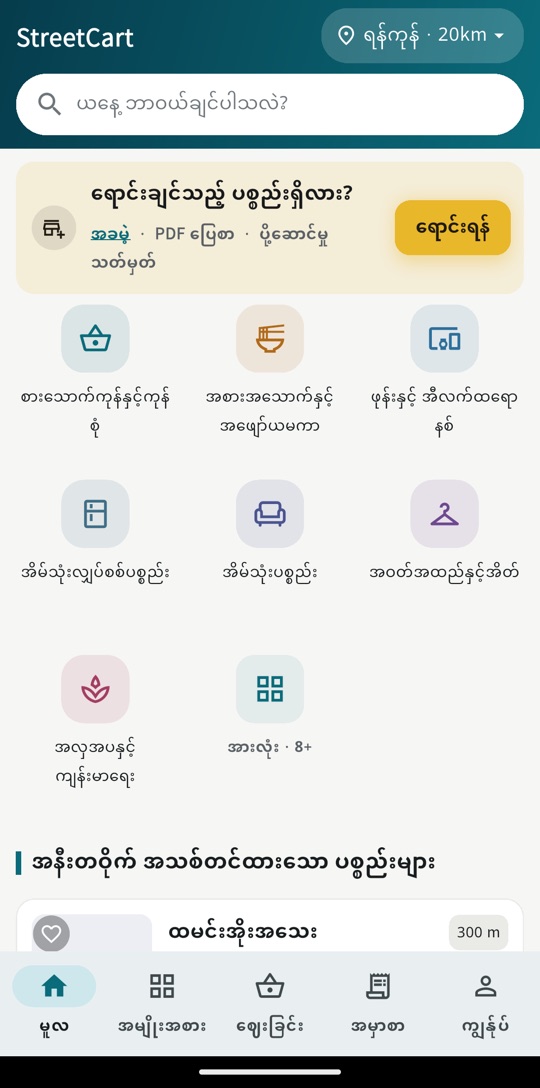
Tap the city name at the top of the home screen. Use GPS or pick a city and neighbourhood, then a 5 / 10 / 20 / 50 / 100 km range — the smaller, the closer the items. GPS is read only once when you tap; there is no background tracking. StreetCart currently covers Myanmar only.
The app crashes or has a bug. How do I report it?
1. Update to the latest version, then close and reopen the app. 2. Me → Help & feedback → Send feedback, choose the bug type, and tell us: which screen, what you did, and your phone model. 3. Screenshots help — send them to support@rayspringtech.com. If you are signed in, we reply in Me → My messages and send you a notification; you can answer there too. You can also send feedback signed out, but then we can only reply to an email address you leave.
How do I save items? Where are my saved items?
Tap the heart on an item to save it (you need to be signed in). Find them in Me → Saved items. Note: physical listings come down at 23:59 each day and can be bought again once the seller relists them.
I want to talk to a person
Tap "Talk to a person" below: • Signed in, use "Write to support". We reply in My messages and tell you in your notifications — and by email if your address is confirmed. • Or email support@rayspringtech.com. • If Telegram is shown, you can reach us there too. This reaches StreetCart, not the seller — for items and delivery, contact the seller first. We usually reply within 7 days, faster for urgent cases such as scams.
Where do I see support's reply to my message?
1. Open Me → My messages (on the website too: Me → My messages). 2. Messages with a new reply have a red dot. When support replies we tell you in your notifications, and by email if your address is confirmed — the email does not include the reply, you read it after signing in. 3. Open a message to answer it. Messages older than 90 days can't take new replies; send a new one instead. Only messages sent while signed in get replies here; for messages sent signed out we reply to the email address you left.
Too many notifications. How do I turn some off?
Me → Settings → Notifications: turn "New order (seller)" and "Order status (buyer)" on or off separately. You can also turn StreetCart notifications off in phone settings. Note for sellers: with new-order alerts off, orders not accepted within 30 minutes are cancelled automatically.
Privacy & deleting your account
How do I delete my account?
• App: Me → Account info → Delete account → Delete. • Website: Me → Delete account (/account#delete). • Cannot sign in: use the public form at streetcart.rayspringtech.com/delete-account with your phone or email; we verify and handle it by hand (within 30 days). After you ask: your listings come down and your shop is switched off at once; 7 full days after you ask, the account is deleted for good. You can cancel within those 7 days. Finish or cancel any orders in progress before you delete.
I asked to delete my account but changed my mind
You can cancel within 7 days: • App: sign in again with the same account and the deletion is cancelled automatically. • Website: sign in, open Me → Delete account and tap "Cancel deletion" (signing in on the website alone does not cancel it). Your shop comes back, and listings that have not expired or been hidden by moderation are shown again. After 7 days it cannot be undone.
What is deleted and what is kept when I delete my account?
Deleted after 7 days: your account, shop, listings and photos, saved items, search history, address book and notification settings. Kept (so the other party's records are not wiped): completed order records (amount, date, items) with your name, phone and address removed; reviews you wrote, shown as "Deleted user"; payment screenshots until their 180-day expiry. See the privacy policy for details.
What information does StreetCart collect? What can sellers see?
• Sign-in details (email or Google account), the profile you fill in, orders and payment screenshots, and the listings you publish. • Location: GPS is read once only when you tap locate — no background tracking. • We do not read contacts or SMS and do not collect an advertising ID; push notifications only with your permission. • Sellers see the buyer's name, phone and delivery address; with pickup the address is not shared. Payment screenshots are visible only to buyer and seller. See the privacy policy; privacy questions to privacy@rayspringtech.com.
Can I block someone?
Yes. • Block: at the bottom of the report page tap "Block this user". To undo it: Me → Account info → Blocked people, where you can see who you blocked and unblock them. • If they bother you on Viber, Telegram and so on, block them in that app too. • Do not pay them and do not open links they send. • Report them on StreetCart: the flag on the order or listing, or "Report shop". For harassment or threats choose "Extortion / threats", "Rude behaviour" or "Other" and explain. Staff can restrict or suspend their account. StreetCart has no in-app chat.
Write to support
Contact us
This reaches the StreetCart team, not a seller. For an item or a delivery, ask the seller first.